 Milot
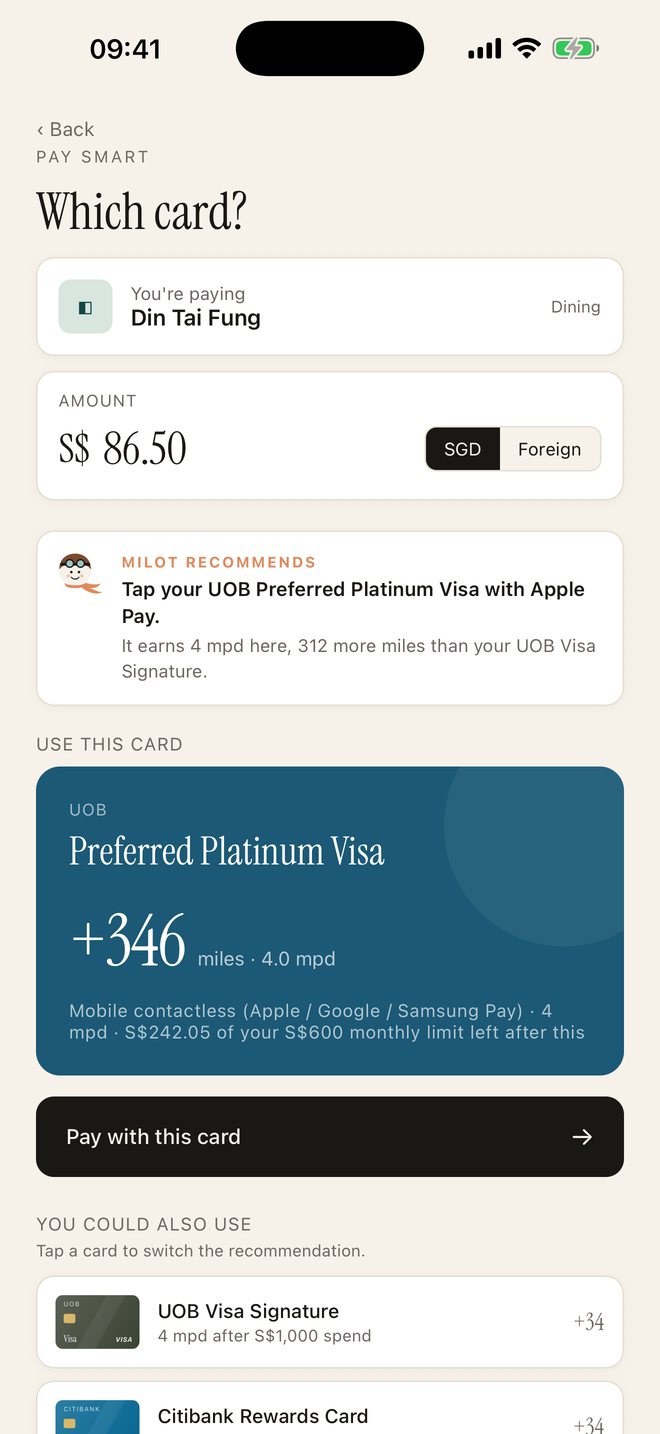
Before you apply
Find the right card to get
New to miles, or wondering what to add next? Answer a few questions about your spending, the annual fee you're happy with and the airlines you fly, and Milot ranks the cards that suit you. Once you have cards, it suggests ones that pair well with them.
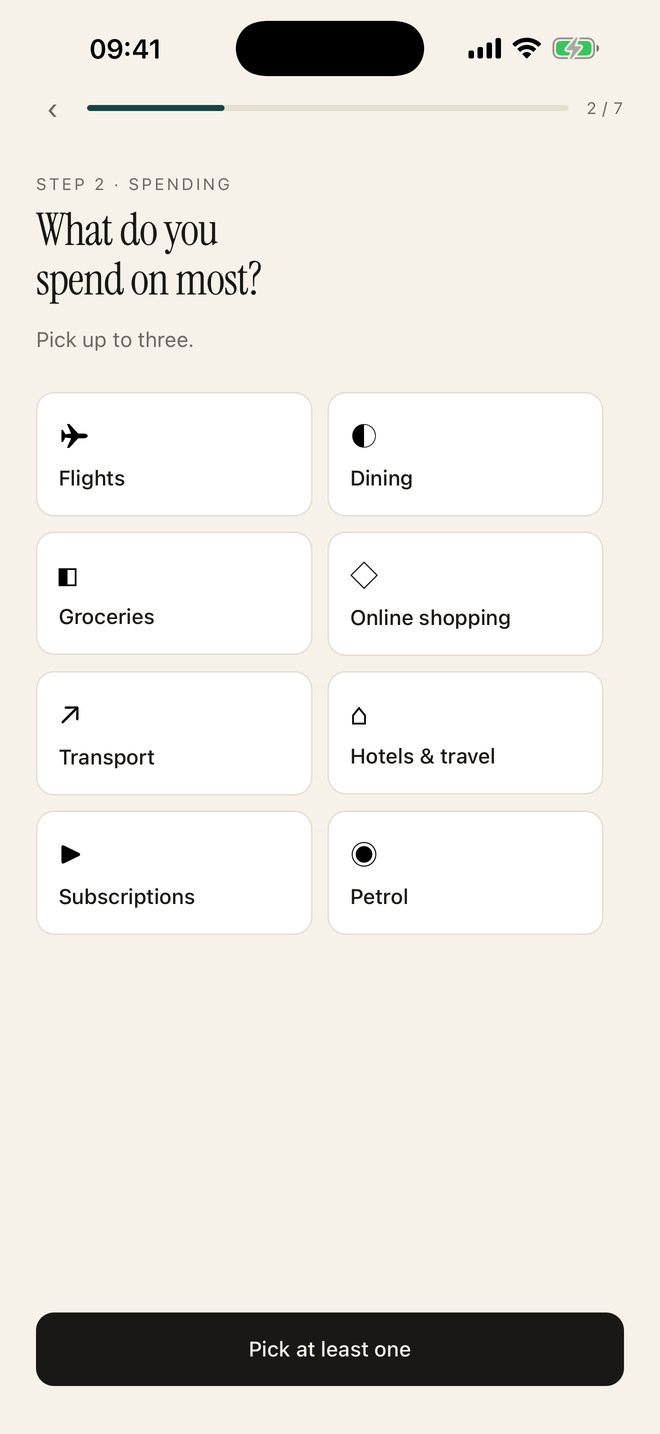
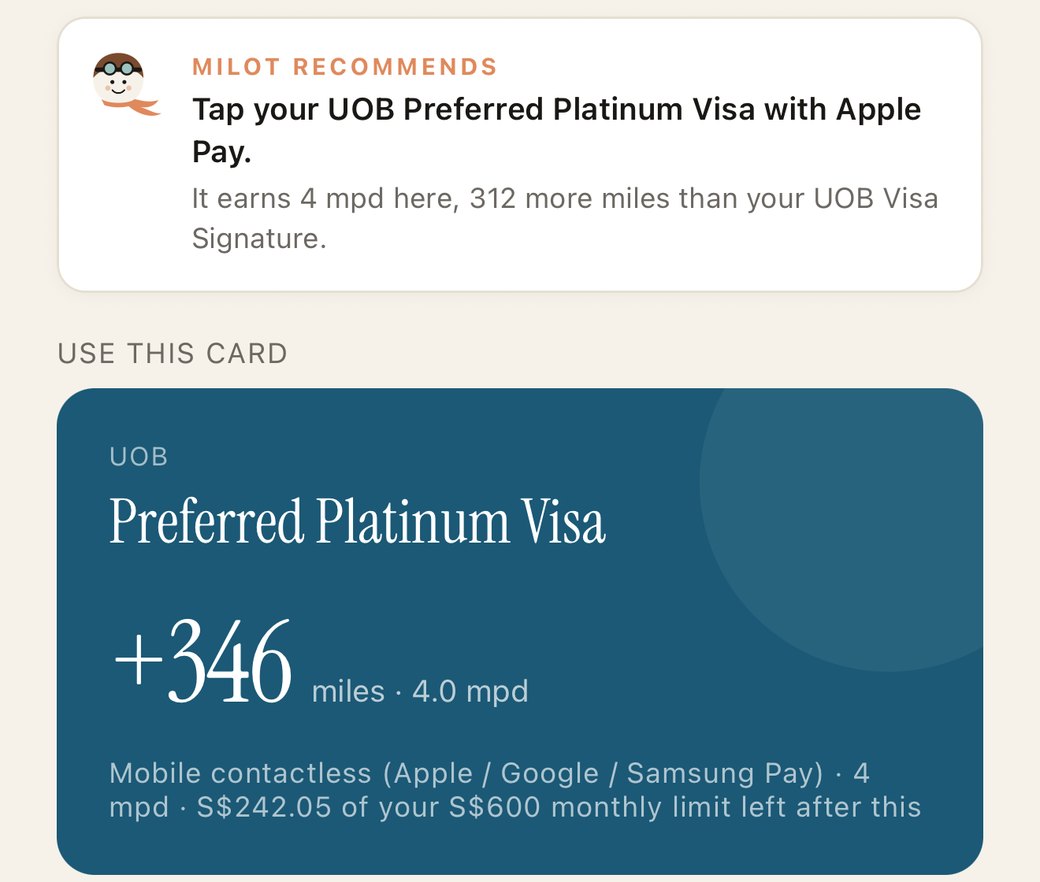
Before you pay
Know which card to tap
Tell Milot what you're buying and how much. It compares the cards you own and tells you which one earns the most miles, and how much bonus room it has left.
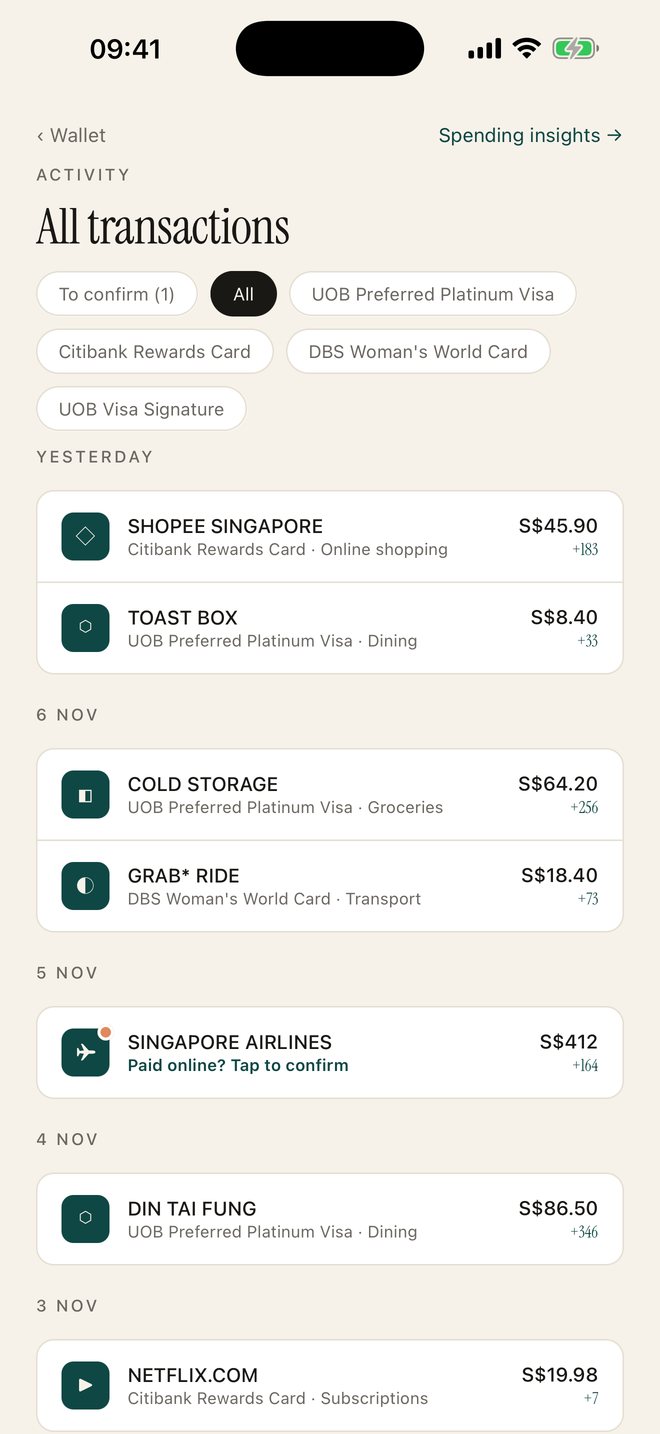
After you pay
Every purchase, tracked
Milot logs purchases from your bank's transaction texts, or from an Apple Pay automation in the Shortcuts app. Or add one yourself in a few taps. No bank logins, ever.
Bonus caps
Never miss a bonus cap
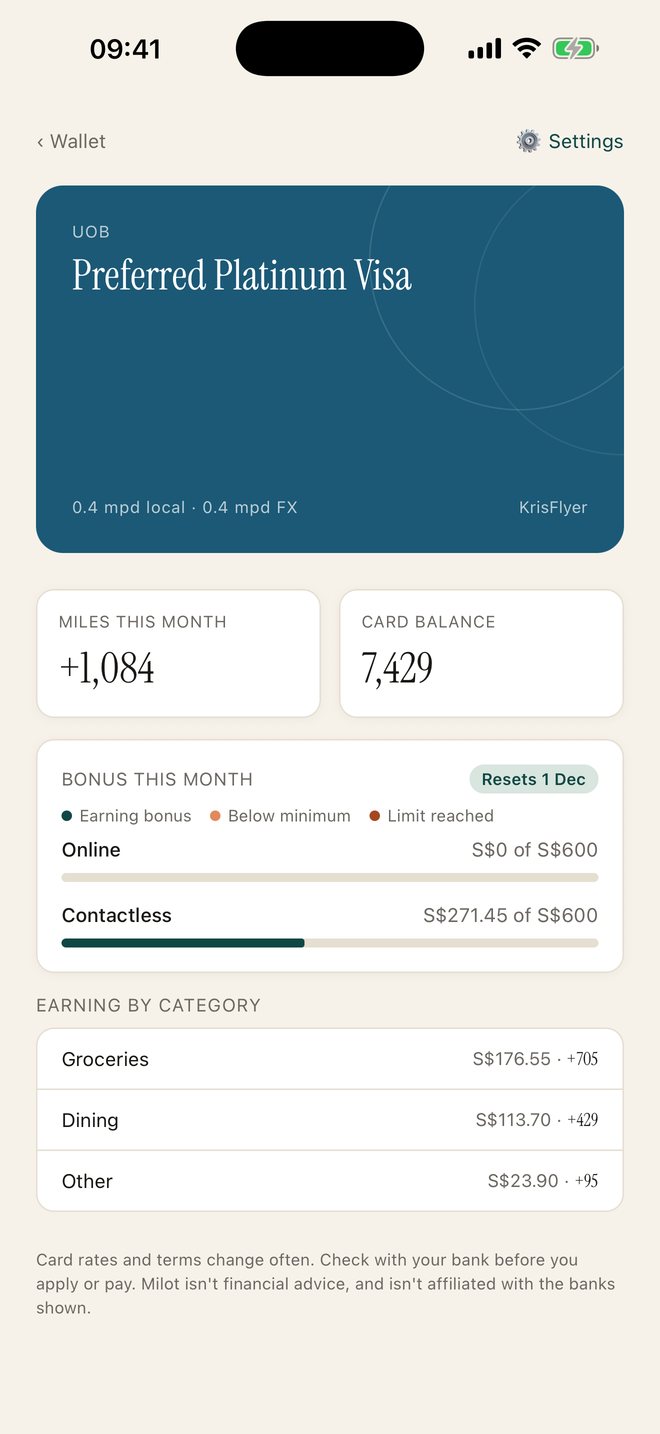
See how much of each card's bonus you've used this month or statement cycle. Milot tells you when a card is nearly full, and which card to switch to.
Insights
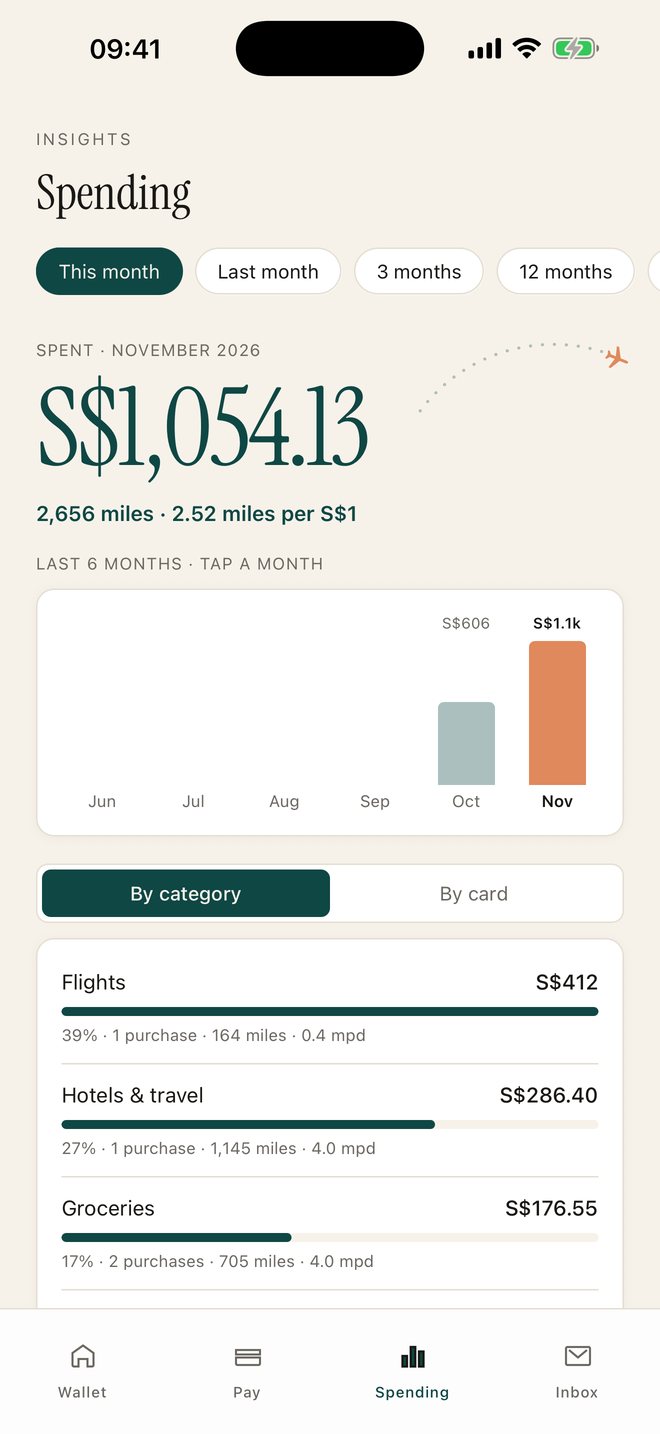
See every mile you earn
What you spent, the miles it earned and your miles per dollar, by category and by card, month by month. See which cards are pulling their weight.
Your balance
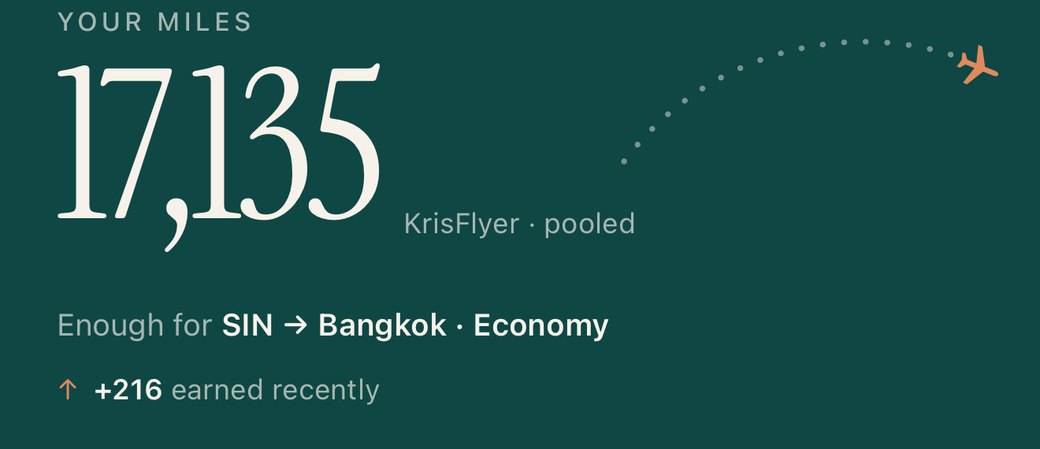
See where your miles can take you
Your miles across your cards in one place, and the trips they're already enough for.
How it works
- Add your cards. Pick them from the list. No card numbers, just which cards you hold.
- Tap the card Milot picks. Check before you pay, or let it log your Apple Pay taps for you.
- Watch your miles add up. Every purchase, every cap and your balance, in one place.

Ready for take-off?
Milot is free on iPhone. Add your cards in a minute, and see which one to tap next time you pay.